How a skill differs from a brief
The brief is always on. A skill loads per task: open a PR, review, run a release check. It has a trigger, steps, and bans.
A skill without bans is just a prompt. Write when to use it, what to read first, and what not to touch.
If you keep pasting the same checklist into chat, you already have a skill. Write it down once.
Where skill folders live
Docs have described user-level and repo-level skill directories. Folder names have included .agents/skills and a skills folder under the Codex home. Check current docs.
Team workflows belong in the repo. Personal-only workflows belong at user level. Duplicate names usually cannot be selected together.
After you add a folder, reload the client. A missing skill is more often a scan path than a model failure.
- Repo skills travel with the project.
- User skills follow you across repos.
- If a new skill is missing, reload the client.
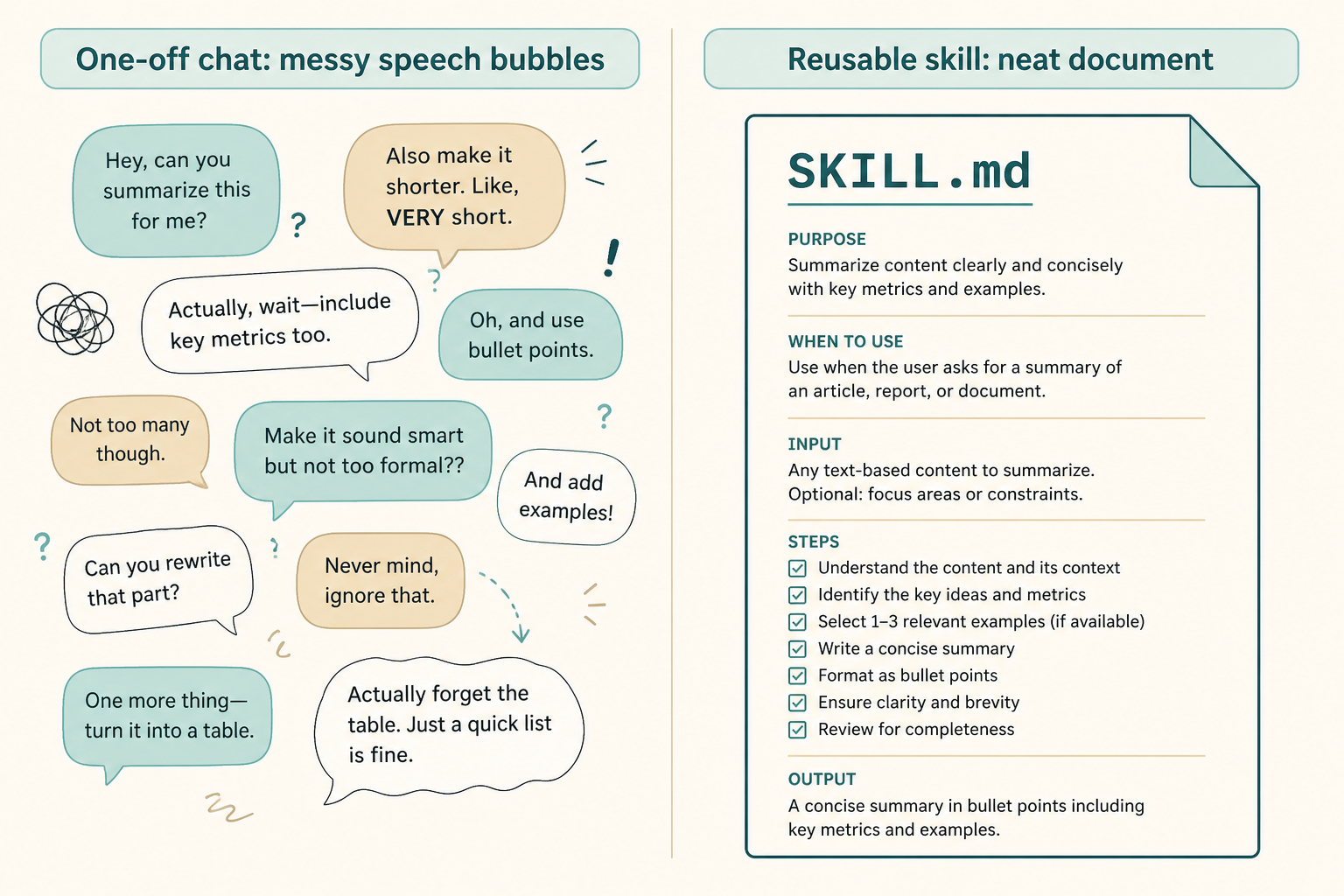
A minimal SKILL.md
Start with short frontmatter: a stable name and a one-line trigger such as use this when the user wants a PR.
Write ordered steps and bans. If the workflow needs an outside system, declare that dependency instead of assuming MCP is already there.
Name the skill something you can type. A cute name you forget is a skill you will not invoke.
- A stable name you can invoke.
- Short, checkable steps.
- A separate bans list.
A minimal PR skill
Trigger: user wants a pull request. Steps: read AGENTS.md, list changed files, write a short summary, do not push.
Bans: do not rewrite history, do not add a formatter, do not commit secrets.
- A trigger that sounds like a user request.
- Short ordered steps.
- A bans list of equal weight.
How to call it
Name it first. Implicit matching is flaky if the description does not look like a trigger.
This site skills directory is metadata. An install field is only a start. Confirm the repo still has a SKILL.md.
If implicit match fails, invoke by name. Then tighten the trigger sentence so later matches work.
- Invoke by name on a small task.
- Check that it followed the steps.
- If it ignores steps, tighten the trigger and bans.
Pairing with MCP
The skill says how. MCP is the hand. A skill can still constrain local commands with no MCP at all.
Do not attach a pile of servers to make the skill look complete. The next chapter adds only the one server the task needs.
A skill can stay local: run tests, open a PR text, refuse secrets. MCP is optional.
- Get a skill working first.
- Then add one read-only MCP.
A hedged way to check that a skill loaded
After reload, ask the agent which skills it can see, or invoke the name on a tiny task. Trust current docs for the exact list command if one exists.
If the name never appears, print the folder and confirm SKILL.md exists before you rewrite the model prompt.
- Reload after adding a folder.
- Invoke by name on a tiny task.
Skill mistakes
A skill that is really a second AGENTS.md will fight the brief. Split always-on bans from on-demand steps.
Do not ship a skill that assumes five MCP servers already exist.
- Duplicating the brief inside the skill.
- Assuming MCP is already wired.
Skills checklist
Done means you invoked it by name once and it followed the steps.
- Stable name.
- Trigger, steps, bans.
- Invoked once on a real tiny task.
Next: wire one tool outside the repo
Only open the MCP chapter if the skill needs a system the repo does not have.
Otherwise stay here and write a second skill after you repeat a task three times.