Five minutes before you start
Use a git repo you own, with a clean tree, on a normal feature branch. Skip production config directories.
Know one check you can run yourself: tests, types, or lint. The agent needs a definition of done you also understand.
If the repo is huge, use a tiny practice branch or a small project you own. The lesson is the loop, not the domain.
- git status is clean.
- You can revert, even if you are not on main.
- You have a verification command ready.
Write a task you can accept or reject
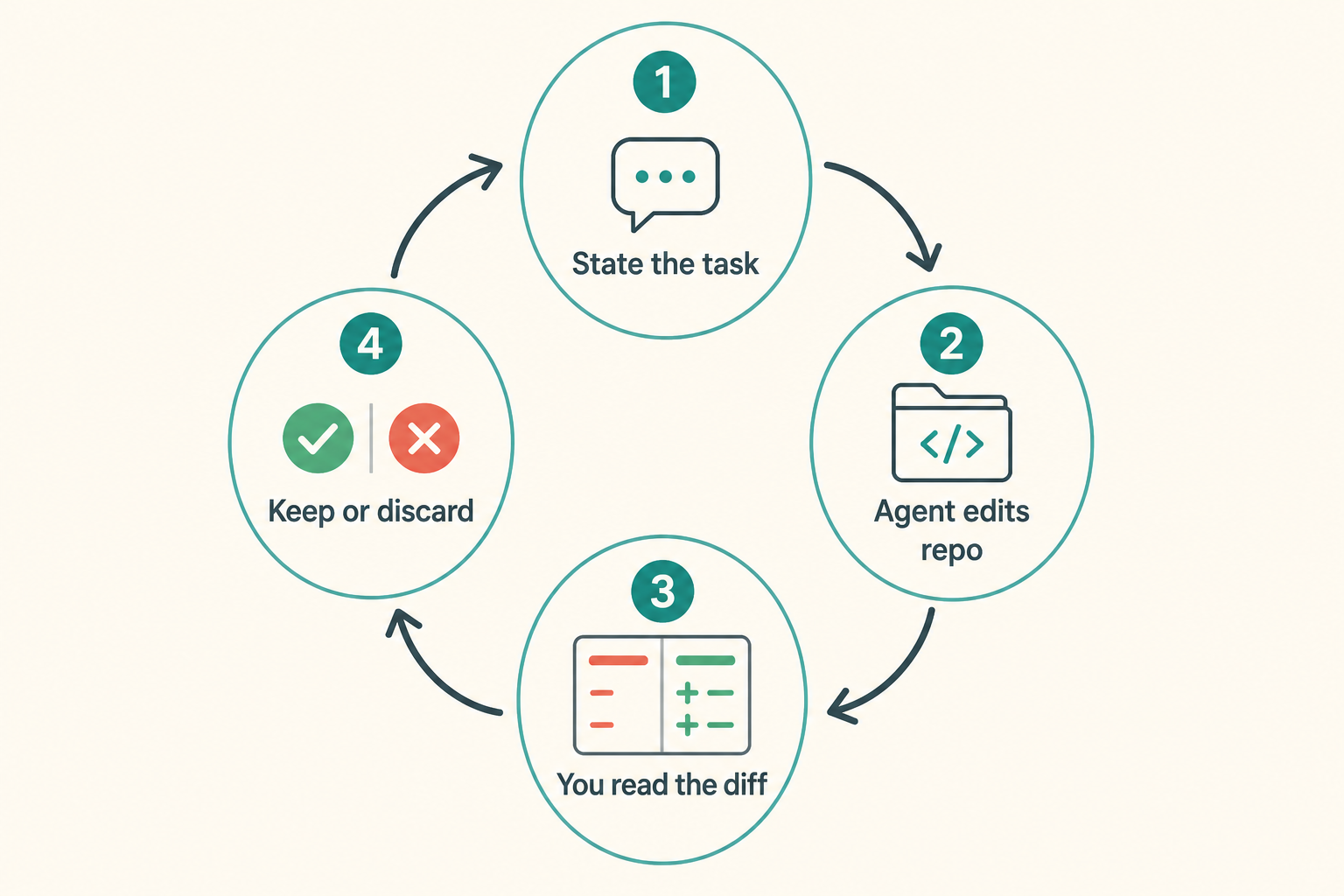
A bad task: make the code better. A good task: add a failing test in this file, then change the implementation until it passes, and do not touch unrelated directories.
Name the paths, the command, and what done means. The scope is for you and for the agent.
If AGENTS.md exists, tell it to read that first. If not, you can still finish this lesson with constraints in the prompt.
A hedged prompt: in one named test file add a failing test, change only the implementation that should pass, run your test command, and do not commit or push.
- Name files or directories.
- Give a verification command.
- Say not to commit secrets or push remotes.
Starting the task from a terminal
From the repo root, start the documented Codex session command. If docs show a non-interactive exec-style invocation, use it for one prompt and still review the files yourself.
Keep a second terminal for git status and your test command. Do not let the agent be the only success report.
- Repo root, unless the task is a nested package.
- Second terminal for git and tests.
- Copy the prompt from a file if you will retry it.
Read the diff, not the confident summary
Agents love to say they are done. You need the file list and each hunk. Extra refactors are dropped by default.
Re-run your own command. A green test you cannot explain is still unfinished.
Watch for gift refactors: renamed variables, new formatters, extra dependencies. Revert what you did not ask for.
- List changed files.
- Read every hunk.
- Run your verification command.
- Revert what you do not want.
How to close a second round
Round one often misses a test or changes too much. Round two should name only the miss. Do not rewrite the job as an epic.
If it still spreads after two rounds, stop. Either the scope is too big or the repo needs a brief. Write AGENTS.md next.
A tight second prompt names the file and the failing assertion. Try again is how a third directory appears.
- Fix one failure reason per turn.
- Stop after two spreading rounds.
A failed first lesson still counts
Typical failures: expired login, wrong PATH, a huge repo with no scope. Use troubleshooting. Do not add MCP here.
If it edited the wrong files, keep the diff as a counter-example for AGENTS.md.
If the client offers undo, use it, then still run git. UI undo and the index can disagree.
- Login failed: return to install.
- Wrong files: tighten paths and write bans.
First-task mistakes
The lesson fails when you accept a summary. I added tests is not a test file. Open the file.
Do not stack MCP because the first prompt was vague. Tighten the prompt instead.
- Starting on a dirty git tree.
- Letting it commit to save time.
- Reviewing only the chat, not the diff.
First-task checklist
Done means you can explain every hunk or you have reverted what you cannot explain.
- Clean git status on a branch you can throw away.
- A prompt with paths, a command, and bans.
- Your own verification command, run by you.
- Revert the extras.
- Keep one counter-example for AGENTS.md if it wandered.
Next: write the brief it should have read
If the agent needed the same ban twice, that sentence belongs in AGENTS.md.
If the task never started, go to troubleshooting. Do not open the skills chapter to try another approach.