What problem it solves
Without a brief, the agent uses average internet habits: restyle everything, add dependencies, drop files in folders you do not use.
With a brief it sees language, test commands, where generated code goes, and what must never be committed.
It is not a blog and not a copy of the README. README is for humans. AGENTS.md is for an agent that can run commands.
A brief is a contract: language, test command, forbidden paths. It is not a style essay.
Where the file lives and how it merges
The common case is one AGENTS.md at the repo root. Nested files may be concatenated from root to the current directory.
A user-level file often lives in the Codex home. Put personal taste there. Put team invariants in the repo. Optional override filenames are listed in current docs.
If root and nested briefs fight, the agent looks lucky and wrong. Add specifics instead of reversing a ban.
- Repo root: shared hard constraints.
- Nested: package-specific test commands.
- User-level: personal taste, not forced on teammates.
What belongs on page one
Start with three lines: what the project is, how to verify, what must never happen. Bans beat adjectives.
Then add a directory map and common commands. Long playbooks belong in skills. If the file grows large, later lines may be truncated, so critical sentences go first.
Put the three hardest bans in the first screen. Later paragraphs may be truncated on large files.
- Verification commands.
- Paths and secrets that must not be committed.
- Only the style rules you keep tripping over.
- Where generated files belong.
A starter shape you can steal
A useful first page: what this repo is, how to verify, never commit secrets, and where new files go.
Do not paste a live token to make the example realistic. Name the env var instead.
- Project one-liner and verify command.
- Secrets and generated folders as bans.
- Where new files belong.
How it splits from skills and editor rules
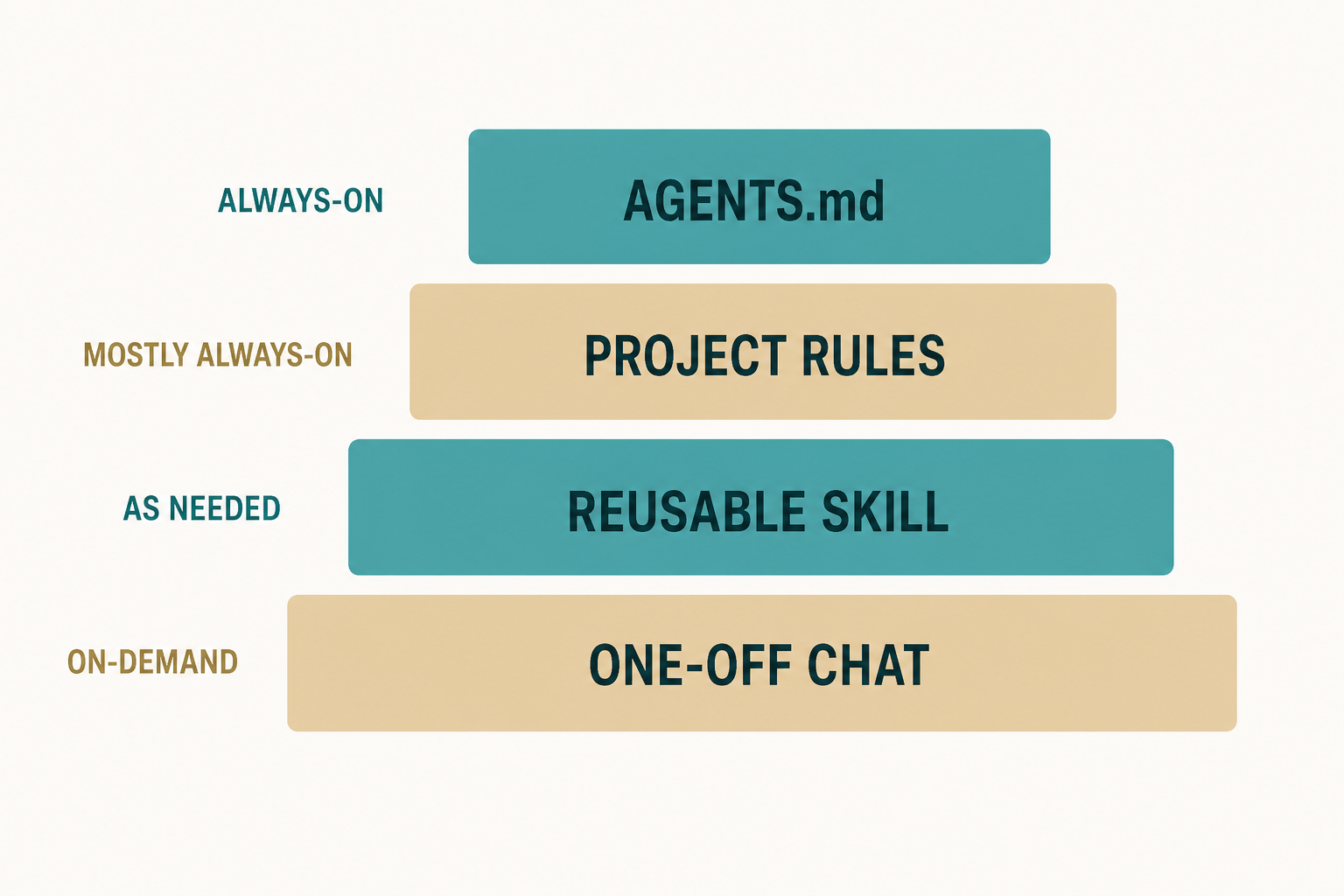
AGENTS.md is always on. A skill is a named playbook. Cursor Rules are another client's always-on file with a similar job.
Stable bans go in the brief. PR and release steps go in a skill. Do not copy a stale playbook into both.
If you also use Cursor Rules, keep the same bans in both places or pick one always-on file as source of truth.
- Secrets and generated folders: brief.
- PR checklist: skill.
- Cursor-only formatting: Rules.
How people actually load the brief
Ask the agent to quote the first lines of AGENTS.md. If it cannot see the file, the path or scan is wrong.
Some clients can generate a starter brief. Treat that as a draft and rewrite it.
- Ask it to quote AGENTS.md first.
- Fix path problems before you add skills.
How to maintain it
Add a sentence when the agent repeats the same mistake. Do not grow the file after every chat.
Some clients can generate a starter brief. You still rewrite it into facts about this repo.
When the agent repeats a mistake, add one sentence at the top.
- Delete stale commands every season.
- New bans go at the top.
Brief-writing mistakes
A cloned brief from another repo will name the wrong test command and the agent will fail confidently.
A novel-length brief hides the bans. Keep page one short.
- Cloning a stranger brief.
- Hiding bans under a long essay.
AGENTS.md checklist
You are done when a teammate can follow the bans without asking you.
- Bans on page one.
- One verify command that you can run.
- No live secrets in the file.
Next: turn a repeated task into a skill
The third time you type the same PR steps, they belong in a skill, not a longer brief.
Keep the brief stable while you write the skill.