What people mean by Codex now
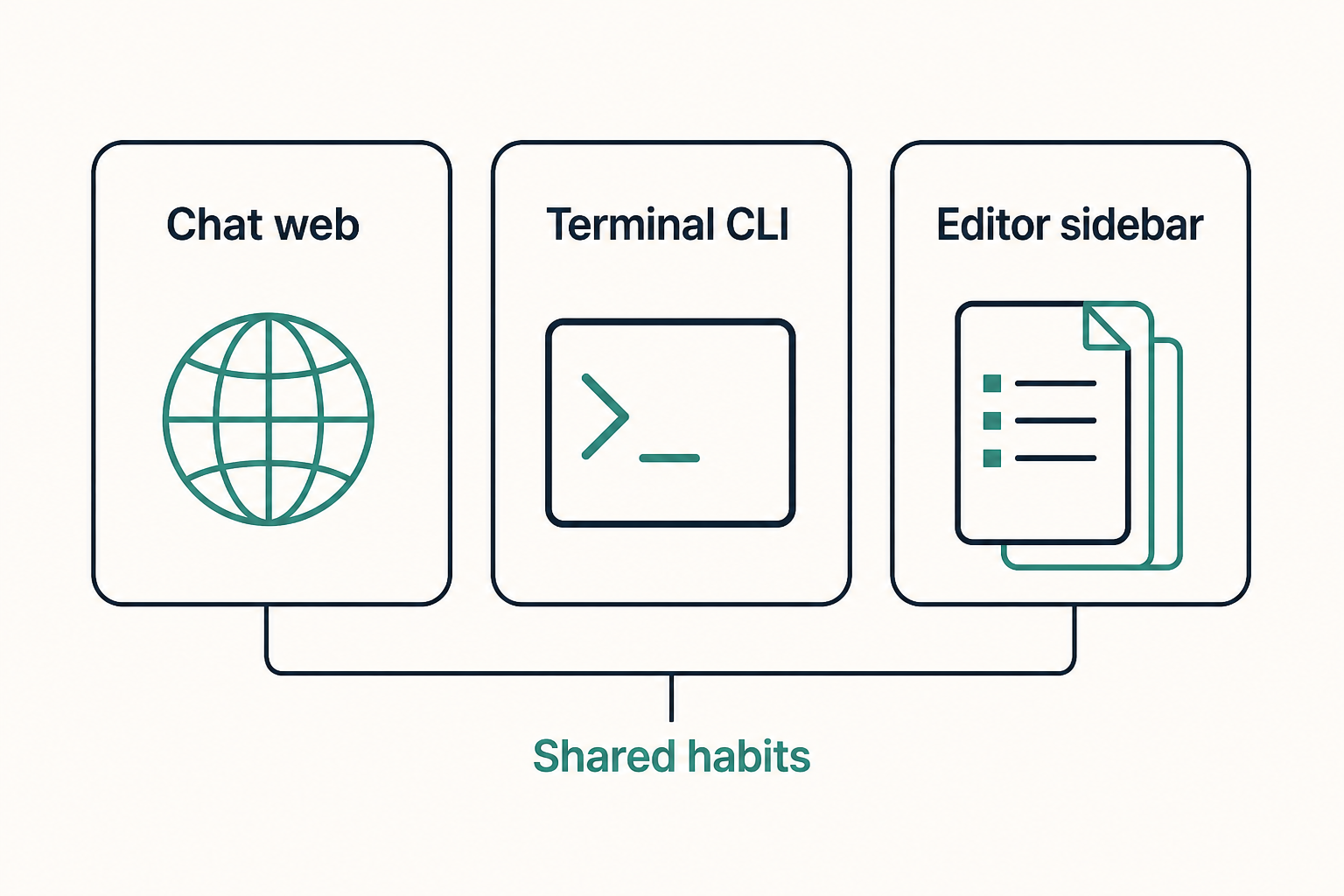
After 2025, Codex usually names OpenAI's coding-agent product, not only the old autocomplete model. You can send it at a repo from ChatGPT, drive it from the CLI, or use the official editor extension. The three surfaces share repo briefs, reusable skills, and MCP tools.
The job is concrete: you state a task, the agent reads files, runs commands, edits code, and hands you a diff. It is not another paste-code chat page.
This course sticks to public usage. Plans, regions, and exact versions change. We do not invent prices or screenshots.
Treat the three doors as workplaces, not as three different AIs. A task you start in the CLI can still be governed by the same AGENTS.md you would open from ChatGPT Codex. What changes is how you review: a terminal scrollback, a sidebar diff, or a cloud session log.
- ChatGPT Codex: long repo tasks from the web or desktop app.
- Codex CLI: a terminal session if you already live in a shell.
- IDE extension: diffs and the current workspace in a sidebar.
- Config and local state usually live under the Codex home directory.
Who this series is for
People who already use git and a terminal and want an agent inside their own repo. You do not need a prompt-engineering course first.
If you only want syntax questions, plain ChatGPT is enough. If Cursor is your daily driver, still read the comparison chapter.
Skip this series if you only want a one-line snippet and never open a repo. Stay if you will approve or reject a patch that touched your files.
- App developers who want reviewable local diffs.
- People who want repo rules in a file agents actually load.
- People who will attach issues, docs, or a browser later.
- Teams who must agree on what an agent must never do.
Three surfaces, one configuration habit
Official docs treat the CLI, IDE extension, and desktop or web Codex as doors into one product. Login, config, AGENTS.md, and skill folders are often shared.
Pick the surface that matches where you spend time. Each chapter starts from the CLI and then notes the other doors.
A useful rule: finish login on one door, then do the first-task chapter on that same door. Only after a reviewable diff should you open a second surface.
- Install and sign in through one door first.
- Keep one AGENTS.md per repo.
- Confirm skill and MCP paths in current official docs.
Suggested order
A short MCP blurb will not rank and will not teach. The eight chapters follow dependencies: product, install, one reviewable task, then briefs, skills, and outside tools.
Every chapter has sections, lists, and an FAQ, plus previous and next links. Jump to troubleshooting if login or a process breaks.
If you already have a working CLI, you can skim install and jump to the first task. If login is already broken, jump to troubleshooting and come back.
- What Codex is: three doors and what it is not.
- Install and sign-in, then a harmless self-check.
- First task: a small edit, a diff, a way back.
- AGENTS.md: always-on repo rules.
- Skills: on-demand playbooks.
- MCP: wire only systems outside the repo.
- Codex vs Cursor: choose by workplace.
- Troubleshooting: login, PATH, hung MCP, missing skills, wild edits.
How long this course actually takes
A focused afternoon can cover install, one small task, and a one-page AGENTS.md. Skills and MCP are better on a second sitting, after you have a diff you trust.
Do not schedule “finish Codex” as a weekend rewrite of a production app. The course is a habit: small tasks, written bans, one tool at a time.
- Install and a read-only self-check: under an hour if the network and account cooperate.
- First reviewable task: another hour, most of it reading the diff.
- AGENTS.md first draft: thirty minutes of facts, not adjectives.
- One skill plus one read-only MCP: a later evening.
A hedged peek at the CLI
Public install pages have described a global package and an official install script. On a machine where the binary is already on PATH, people often start with a version or help command. The exact binary name and flags have moved; copy them from the page you open today, not from an old gist.
A typical first session is: open a repo directory, start the agent, ask a read-only question, then leave. If the command is not found, that is an install or PATH problem, not a model problem. The install chapter walks that path with hedges.
- Confirm the official package or script name on today's docs.
- Open a fresh terminal after install so PATH refreshes.
- Ask for the current directory before you grant writes.
Mistakes this hub is trying to prevent
The expensive mistakes are social, not syntactic: wiring ten MCP servers on day one, letting the agent commit, and treating ChatGPT Codex as if it could see unsynced laptop files.
A quieter mistake is cloning a stranger's AGENTS.md. A brief that names another team's test command will make the agent fail confidently.
- Installing three doors before one of them can list files.
- Pasting a production token into the first chat.
- Skipping the first-task chapter because a demo video looked easy.
- Writing a novel in AGENTS.md instead of three hard bans.
Hub checklist before chapter one
You do not need a perfect environment. You need a repo you own, a way to revert, and a decision about which door you will use first.
- Pick one door: CLI, official extension, or ChatGPT Codex.
- Confirm you may send this repo to an external agent.
- Have git status and a revert plan.
- Bookmark official Codex docs in another tab.
- Open the next chapter only when the door is chosen.
How this course is written
The copy is an original overview, not a paste of vendor docs. Command examples use public installers. Check versions and plan names on the official Codex docs the day you read this.
This site ships a default Chinese URL and an /en/ English URL. MCP and skills directory pages are metadata and do not install anything in the browser.
Images on this series are original diagrams we generated for the course. They are real <img> tags, not CSS backgrounds, so search engines and screen readers can see them.
- No invented star counts, prices, or internal feature names.
- No lesson that asks for write access and ten MCP servers at once.
- Secrets stay in env vars or the OS keychain.
- If official docs and this course disagree, trust the docs and your machine.
What to do after this hub
Go to the next chapter and name the product edges before you install. If you already know the three doors, skip ahead to install.
Keep this hub open as a table of contents. Each chapter ends with previous and next links, plus a list of all eight lessons.