Why the name is confusing
Grok names a model family, a chat product, and now a repo-facing Build. If a teammate says they use Grok, ask whether they mean web chat, the API, or the local grok command.
Grok Build's job is specific: you state a task, the agent reads files, runs commands, edits, and hands you a plan and a diff. It is not a three-line completer.
Public material treats the CLI install page and Build docs as one product line. The open-source repo lets you check releases and issues. It does not mean “no account required”.
Grok 4.6 has been named publicly as a model that powers Build. Defaults, custom models, and the same name on the API can coexist. Trust grok inspect and today's docs.
What each way of working is good at
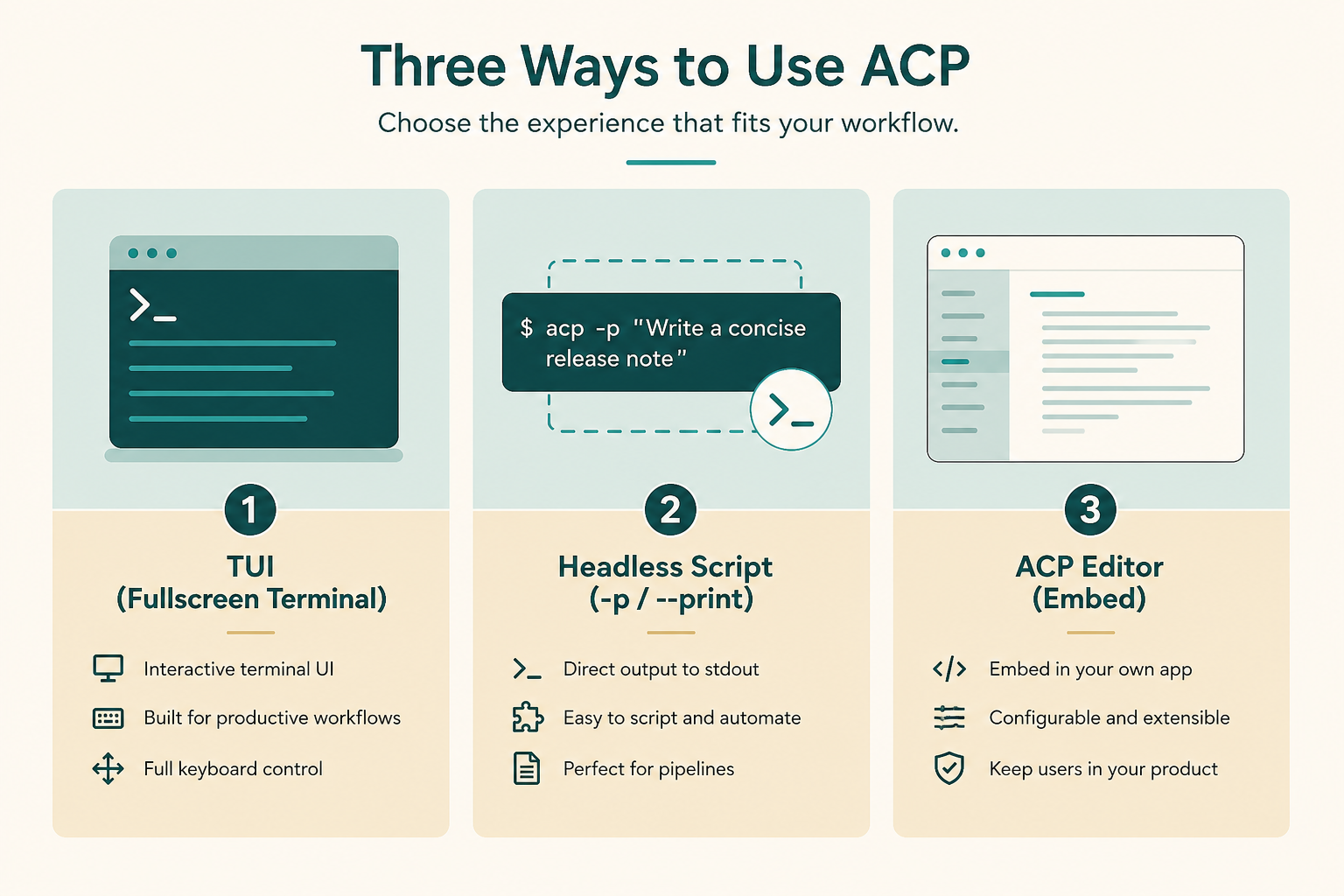
The TUI is for watching plans and tool calls in a repo directory. Headless is for a prompt that already belongs in a script or CI. ACP is for embedding without changing editors.
Official material presents them as doors into one product. Config, instructions, skills, and MCP are often one set.
Beginners should pick one door. Debugging three half-logins hides whether auth, PATH, or instructions failed.
Cloud chat and a local grok session can both talk about code without seeing the same files. Uncommitted laptop edits stay local until you enter that directory.
- TUI: you already have a terminal in the project.
- Headless: one-shot tasks in scripts, bots, or CI.
- ACP: embed in an existing app instead of another fullscreen TUI.
How to pick the first door without shopping
Ask where you will read the first diff. Fullscreen terminal means start with grok. A script you already wrote means install, then -p. An ACP host can wait; this course defaults to the TUI.
Switching later is cheaper than debugging three unfinished logins. Install will not demand every door.
- TUI first if you already run tests in a shell.
- Headless first if you want a read-only explain script.
- ACP first only if the host app documents support.
How instructions, skills, and MCP stack
AGENTS.md is always-on: language, test commands, forbidden paths. Skills load per task. Plugins, hooks, and marketplaces extend. MCP is the hand outside the repo.
Write a short instruction file first, extract repeated work into skills, then wire tools. The reverse yields an agent that calls out before it understands the repo.
Think always-on, on-demand, and outside. Mixing them into one file makes a novel nobody reads.
- AGENTS.md stays short and always on.
- Skills and plugins load when named or matched.
- Hooks insert your check at a lifecycle point.
- MCP only for capabilities the repo does not have.
What Grok Build is not
It is not an excuse to drop production secrets into a repo, and not a merge bot that skips diffs. You remain the author.
It is not Codex CLI, Cursor, or another editor. Those can be excellent. Paths and model choice differ. The comparison chapter covers tradeoffs.
It does not replace code review or your threat model. An agent that runs commands is more capable and more dangerous than a chat box.
- Not auto-merge without a diff.
- Not an official security audit.
- Not a one-click installer in this site's browser.
- Not “open source means anonymous writes to any repo”.
When it is worth opening
If the task is “do this in these files and verify with this command”, it is worth it. A single syntax question is faster in ordinary chat.
Larger repos need AGENTS.md first. Without it the agent edits with average internet habits.
Week-one tasks: tests, type errors, checklists, PR notes. Not: rotating production credentials or “clean up the repo while you are here”.
- Worth it: tests, types, checklist PRs, explain a directory.
- Not yet: production migrations or unattended permission changes.
What the first command looks like
After install, public docs show cd into the project and run grok. First launch may open a browser. Headless environments use an API key environment variable instead.
If the shell cannot find the command, stop at the next chapter. Do not invent a second installer from a random blog.
- Confirm grok is on PATH in a new terminal.
- Enter a scratch or practice repo first.
- Read-only questions beat writes on day one.
Common product mix-ups
Treating Grok Build as web chat hides the local config directory, plan mode, and that MCP is a process on your machine.
Treating headless as a different agent with a different instruction file wastes a week.
- Installing a binary from an unofficial mirror.
- Assuming web chat sees unsynced files.
- Skipping AGENTS.md because the README is long.
What you should know when you leave
You should name the door you will install and one thing the agent will not do this week.
- Name the three ways of working in your own words.
- Pick one door for install.
- Write one forbidden action you already know.
- Open official docs, then the next chapter.
Next: install only one door
Install picks a door, logs in or sets a key, and does a harmless check. Still no MCP.
If the account or key cannot run at all, stop on the product page. This course cannot unlock a region or tier.