What to prepare
Use a practice repo or a small project you know. Confirm git status is clean or that you can revert.
Start grok in the project directory. If you are still stuck on login or PATH, return to install or troubleshooting.
Name one ban for this round: no commit, no push, no secret files.
- Pick a practice repo and enter it.
- Confirm you can revert.
- Write down what this round must not do.
Put the plan latch on first
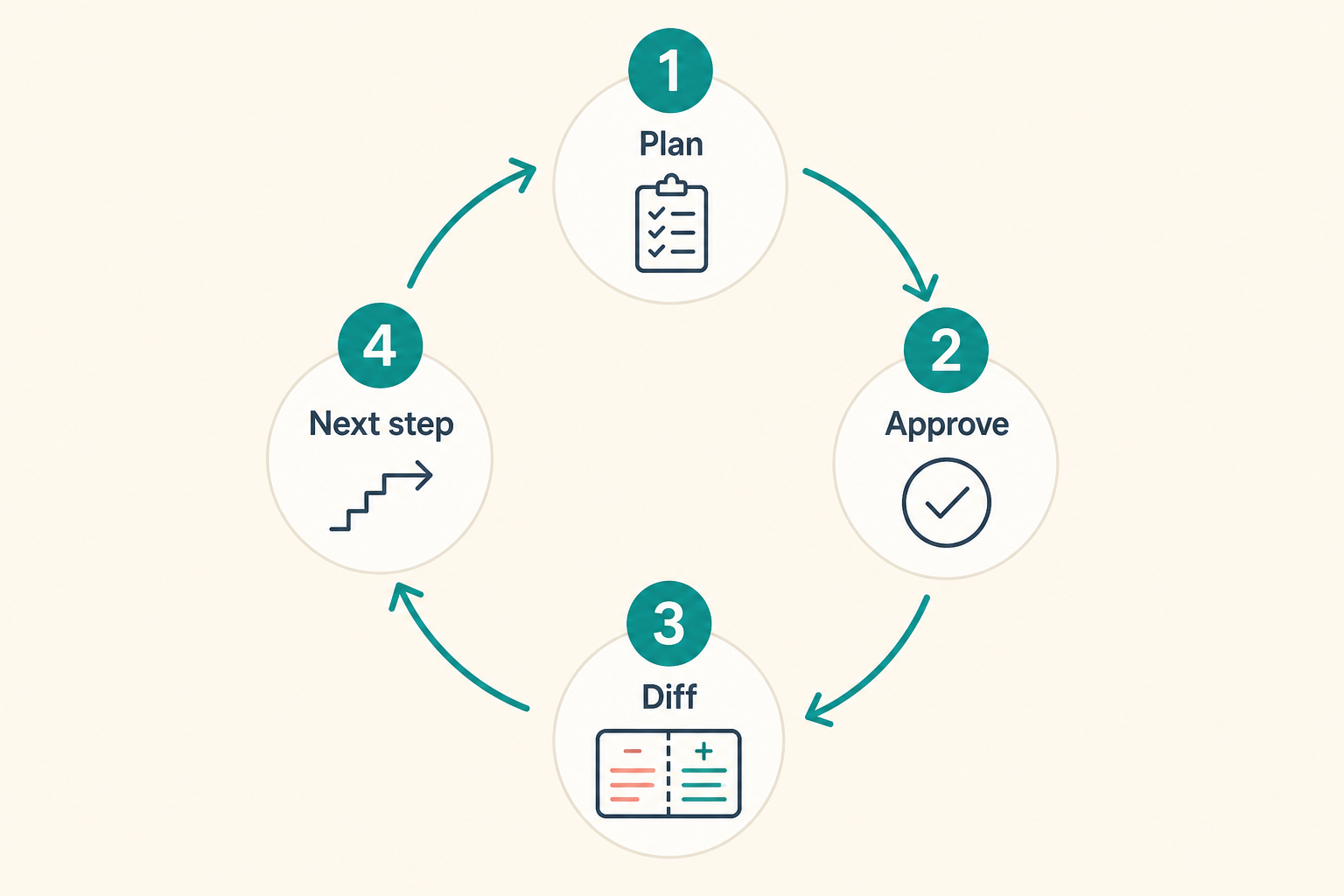
In the TUI, /plan enters plan mode. Public docs describe a file-edit gate: other files stay blocked until you approve; only the session plan file may change.
That gate is independent of permission mode (ask, auto, always-approve). Auto-approve does not secretly edit during plan mode.
Shift+Tab may cycle modes on your build; trust local shortcuts. Reopen a plan with the client’s view command.
Keep the first plan short: files, verification, and what you will not do.
- Scope the work with /plan.
- Do not expect the worktree to change before approval.
- Write verification as a command you can actually run.
How to write the first prompt
A good prompt names directories, a verify command, and bans. A bad prompt is “clean up the repo while you are here”.
Public docs have suggested read-only openings such as explain this repo. Read first, then approve writes.
Point at paths the client understands instead of pasting the whole tree.
- Name paths and a verify command.
- Name paths that must not move.
- Explain, then edit.
A few TUI commands are enough
Besides /plan you will meet /model. /skillify belongs in the skills chapter.
Session and context commands live under /help. Do not memorize the full table before doing work.
- /plan for the plan.
- /model only when you intend to switch.
- /help for commands that exist on your build.
How to read the diff and revert
After you approve the plan, still read file by file. Confidence is not a test run.
Use your usual git diff. Do not trust the TUI summary alone.
If you dislike the result, revert. Do not stack “try again” on a dirty tree.
- Plan, then diff.
- Run the verify command you named.
- Revert and narrow the prompt on failure.
Can the same task run headless?
Yes: pass the same sentence to grok -p. Week one is still easier in the TUI where you can see the plan.
Scripts need a working directory and a failure exit. Leave streaming-json until you will parse it.
- Headless fits a stable read-only task.
- Do not give CI write access on day one.
How to recover
Drift is usually a wide scope, not a missing “please be careful”. Narrow the file list.
A plan that names a test command you never ran will waste a whole turn.
If login drops, go to troubleshooting instead of switching repos.
- Narrow paths.
- Run the verify command yourself.
- Do not retry three times on a dirty tree.
First-task mistakes
Skipping plan mode and asking it to “fix every warning”.
Handing the agent production secrets or an env file as a sample.
- Demanding a commit on round one.
- A plan with no verify command.
- Practicing force-push on the main repo.
What done means
Done means you read the plan, read the diff, ran verify, and know how to revert.
- Opened a plan-mode turn.
- Can explain the worktree change.
- Ran the verify command.
- Committed no secrets.
- Ready to write one AGENTS.md ban.
Next: write the habit into config
The config chapter reads config.toml, runs grok inspect, and writes a short instruction file.
If the plan latch disagrees with docs, trust your machine and official text.