Pick one install path
Official docs in 2026 recommend the native installer. macOS, Linux, and WSL share a curl-to-bash script. Windows PowerShell uses irm of the official install.ps1. That is the path this course walks first.
Homebrew offers a cask named claude-code. WinGet offers Anthropic.ClaudeCode. Those are fine if you already live in that package manager. They do not always auto-update the way the native installer does.
A global Node package still appears in advanced docs. It is not preferred here. It is how people end up with two binaries and a stale major.
- Native script unless you already standardize on brew or WinGet.
- One method per machine.
- Desktop app is a separate door, not a second CLI.
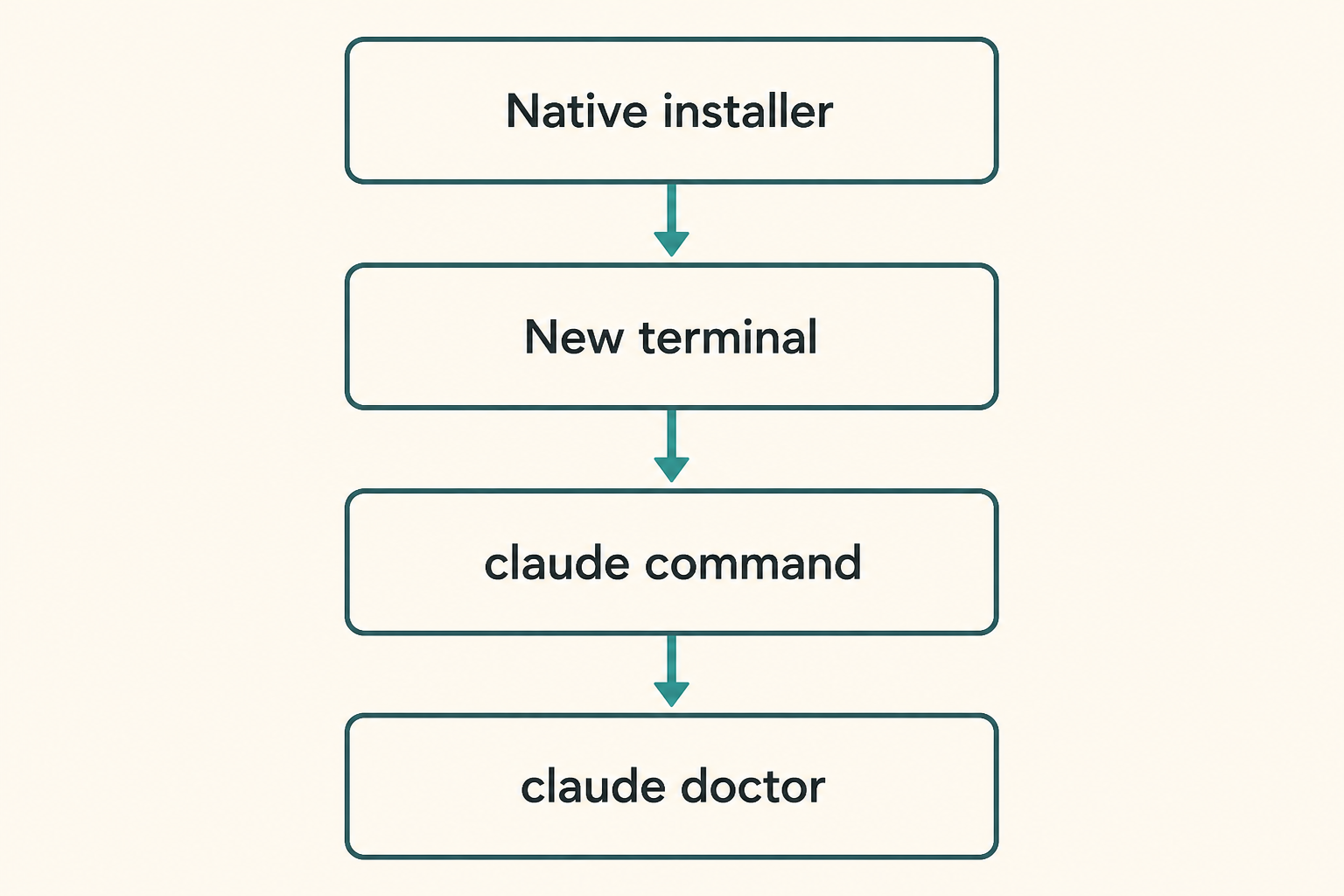
Native install, then a new terminal
On macOS, Linux, or WSL, the public line is curl -fsSL https://claude.ai/install.sh piped to bash. Read the script URL. Do not replace it with a random GitHub raw file.
On Windows PowerShell, the public line is irm https://claude.ai/install.ps1 piped to iex. If irm is missing, you are probably in CMD, not PowerShell.
The binary often lands under ~/.local/bin (Windows has a user-level .local\bin). If the installer says success but claude is missing, PATH is the first suspect.
Close the terminal you used to install. Open a new one so the shell reloads PATH. Then enter a project and run claude.
- Copy today's official one-liner.
- Let it finish without sudo unless the page says so.
- Open a new terminal.
- cd to a project and run claude.
Homebrew and WinGet
Homebrew: brew install --cask claude-code. There may be a latest cask if you want the newest channel. Upgrades are brew upgrade, not a hidden Code auto-update, unless you later opt in.
WinGet: winget install Anthropic.ClaudeCode. Upgrades are winget upgrade. Do not mix this with a leftover native binary without checking which one PATH hits.
Linux distros may also ship apt, dnf, or apk repositories. If you use those, upgrades follow the distro, not this course's memory of a flag.
- One package manager.
- Write down the upgrade command.
- which claude after install.
Why we do not start with a Node global
Advanced docs still show a global package. Native install is the recommended 2026 path. A Node global is how teams collect permission errors and two versions.
If you already have an old global, remove or ignore it after doctor shows which binary is first on PATH. Do not sudo the global.
- Prefer native, brew, or WinGet.
- If a global remains, doctor it.
- Never sudo a global install.
Login and keys
First claude in a project usually opens a browser. Use the account that actually has Code access.
If ANTHROPIC_API_KEY is already set, the client may ask you to approve that key instead of a browser login. Keys never go in the repo.
Plan names change. If login succeeds but Code is denied, that is an account gate, not a broken binary. Check official account pages, not a tweet.
- Browser login in a real project directory.
- Keys only in the environment, never committed.
- Account denial is not a PATH bug.
PATH and ~/.local/bin
Native installs commonly put a launcher in ~/.local/bin. Some shells never added that directory. The symptom is command not found after a happy installer.
which claude and claude --version must agree. If they disagree, you have two copies.
WSL and Windows native are different homes. Do not edit PATH in PowerShell and then test only inside WSL.
- New terminal first.
- Add ~/.local/bin if the installer said so.
- which claude once, in the same shell you will work in.
Desktop app if you refuse the terminal
A standalone desktop app exists. Sign in, open the Code tab, and work from there. It is a real door, not a toy.
This course still wants you to know doctor and PATH if you also keep a CLI. Desktop-only users can skim the CLI verify steps and stay on the app.
- Download from official desktop links.
- Do not also sprinkle three CLIs.
- Same CLAUDE.md when you later add a terminal.
Install-stage mistakes
Piping a script you did not identify as claude.ai.
Keeping an old global and a new native install, then filing a bug on the stale one.
- No new terminal.
- sudo because of habit.
- Installing desktop and CLI and blaming the wrong one.
Verify before the first task
claude --version should print a version. claude doctor prints install health and setting warnings without starting a coding session.
If doctor is angry, stay in this chapter or jump to troubleshooting. Do not write CLAUDE.md on a broken PATH.
- New terminal.
- claude --version.
- claude doctor.
- claude in a practice repo.
Done looks like this
You can launch one client and point at doctor output.
- One install method.
- New terminal works.
- version and doctor both run.
- You know where the binary lives.
- No key in git.
Next: one reviewable task
The next chapter stays in a practice repo, states a ban, and asks for a small diff.
MCP and skills still wait. If doctor failed, skip ahead to troubleshooting.