What Claude Code means now
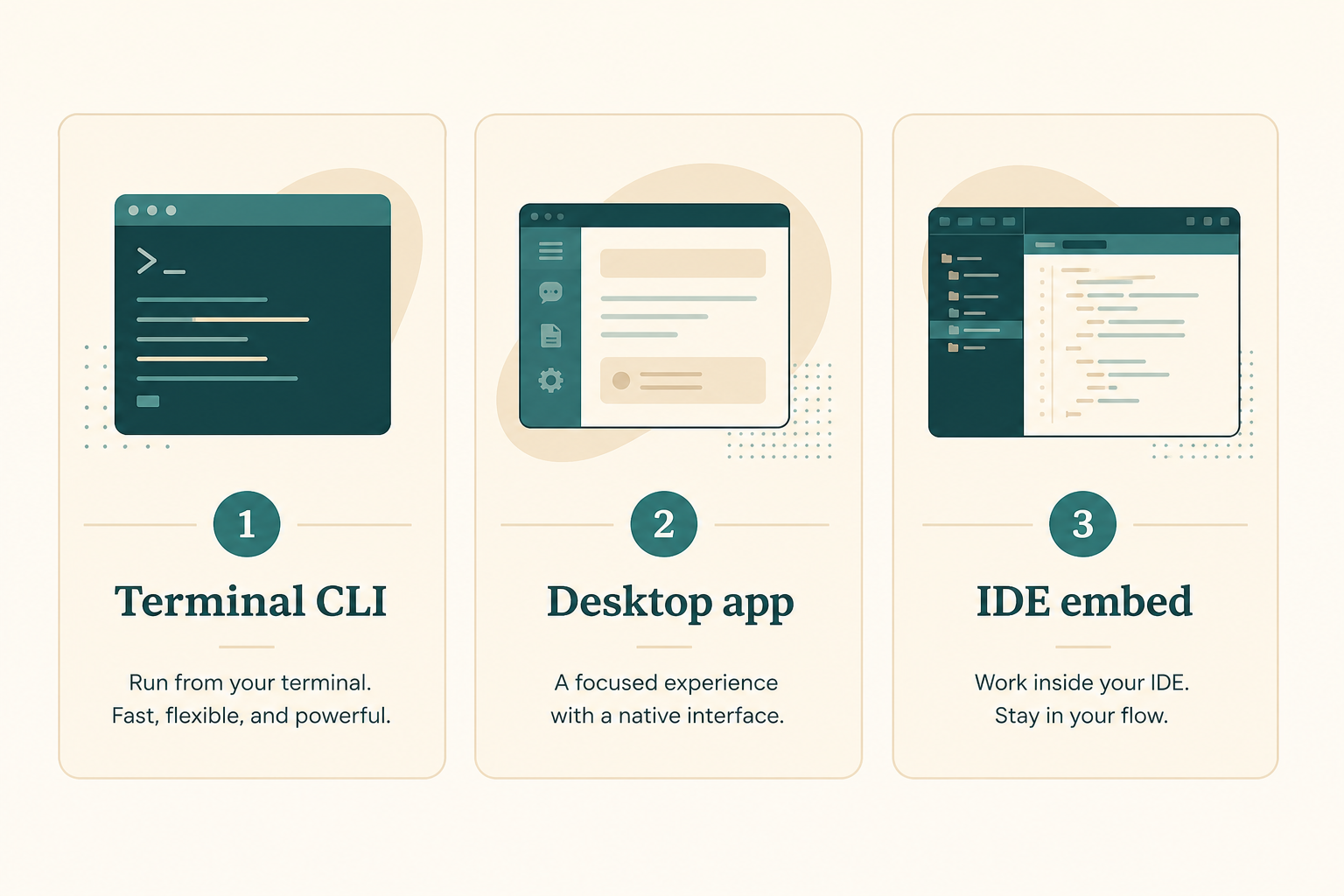
In public 2026 material, Claude Code is Anthropic's agentic coding tool: it reads a repo, edits files, runs commands, and talks to your other tools. The same engine shows up in the terminal, editor extensions, a desktop app, and the browser.
It is not a chat page for pasting snippets. You point it at a project directory, state a job, and review a diff. Docs live at code.claude.com. This course only uses public, checkable usage.
Access usually needs a paid Claude plan or an Anthropic Console / API account. Free consumer chat and Code access are not the same thing. Plans and regions change. We do not quote prices.
When a blog post and the install page disagree, trust official docs and what claude doctor prints on your machine.
- Terminal: enter a project and run claude.
- IDE: official extensions for VS Code, Cursor, and JetBrains.
- Desktop app: a graphical session if you do not want the terminal.
- Web and GitHub: long jobs and public @claude-style mentions.
Who this series is for
People who already use git and a terminal and want an agent inside their own repo. You do not need a prompt-engineering course first.
If you only want syntax questions, ordinary Claude chat is enough. If Codex or Cursor is your daily driver, still read the comparison chapter.
Teams can share CLAUDE.md, skills, and MCP config. Week one still starts on one laptop, one practice repo.
- You can open a terminal and run git status.
- You can revert a bad edit.
- You will not paste secrets into a prompt.
Four doors, one repo habit
Pick one door for the first week. This course defaults to the terminal because install, doctor, and PATH problems show up there first.
The desktop app is for people who want diffs without living in a shell. IDE extensions keep you next to the file tree. Web and cloud jobs help when the laptop is closed.
CLAUDE.md, skills, and MCP are meant to travel across surfaces. Do not invent a second instruction file just for the editor.
- Terminal first if you can install a CLI.
- Desktop if the terminal is a blocker.
- IDE after the CLI already works.
- GitHub and web after you can review a local diff.
How to read the eight chapters
Chapters 1 to 3 get you a working binary and one reviewable task. Chapters 4 to 6 add instructions, skills, and one MCP server. Chapter 7 compares Codex. Chapter 8 is the repair kit.
Skip around only if the earlier gate is already true. A missing claude on PATH is not a CLAUDE.md problem.
If login or PATH is already broken, jump to troubleshooting, then come back.
- What it is: names, surfaces, and what it is not.
- Install: native script, brew or WinGet, PATH, doctor.
- First task: one small diff you can revert.
- CLAUDE.md: short project instructions.
- Skills: one reusable playbook.
- MCP: one server you can explain.
- Versus Codex: pick for a week, not a brand.
- Troubleshooting: doctor, PATH, duplicates, login.
Honest time box
A focused afternoon can finish install plus one task. Instructions and one skill take another evening. MCP and the comparison can wait a weekend.
Do not stack Homebrew, WinGet, a Node global, and a desktop download on day one.
- Install and doctor: 20 to 40 minutes including PATH.
- First task: 30 to 60 minutes with a real review.
- CLAUDE.md draft: 20 minutes of facts, not culture prose.
- One skill and one MCP: a later evening each.
Commands you will actually type
After a native install, open a new terminal, enter the project, and run claude. Check claude --version, then claude doctor. Copy install lines from today's official page, not from an old gist.
Native install on macOS, Linux, and WSL is the 2026 default. Windows PowerShell has its own one-liner. Homebrew and WinGet exist. A global Node package is no longer the path we recommend.
- macOS / Linux / WSL: curl https://claude.ai/install.sh piped to bash.
- Windows PowerShell: irm https://claude.ai/install.ps1 piped to iex.
- brew install --cask claude-code, or winget Anthropic.ClaudeCode.
- Then: new terminal, claude, claude --version, claude doctor.
Hub-stage mistakes
Treating Claude chat, Claude Code, and a random editor theme as one product.
Installing three copies, then debugging the wrong binary.
- Skipping doctor because version printed once.
- Writing CLAUDE.md before PATH works.
- Quoting a price from social media.
Done looks like this
You can name the door you will use this week and the chapter you open next.
- You know this is a repo agent, not a snippet chat.
- You picked terminal or desktop, not both today.
- You will install from the official 2026 page.
- You will run doctor before the first write.
- You will not paste API keys into the repo.
How this course hedges
Flags, default models, and account rules move. We name public commands and file habits, not a frozen screenshot of settings.
We do not copy Anthropic docs verbatim. If a flag changed this morning, the install page wins.
No prices. If someone asks what a seat costs, send them to the official pricing page.
- Official overview, install, and product pages first.
- doctor output over blog memory.
- One practice repo until chapter 6.
Next: name the product correctly
Chapter 1 separates Claude the chat product from Claude Code the repo agent, and lists the doors.
If you already live in a working claude session, skim chapter 1 and go to install only if doctor is unclean.